

Paladin Antivirus is a counterfeit security program that is a successor to Malware Defense. The family where Paladin Antivirus came from was created to generate revenue for its developers that continues to scam computer users by useless program pretending to be an antivirus application. Primary means to spread this malware is via Internet, where a dozens of fake security websites were established to disguise as an online virus scanner. It will scan visitors computer and displays untrusted infections. It will advise visitors to download Paladin Antivirus and prompt to install on computer. Once installed, Paladin Antivirus will start another scan, this time locally, but the same method to trick computer users. A warning about dozens of infection will be issued and advise people to purchase the Paladin Antivirus activation key or serial number. These detections were fake and will be exhibited even if computer is free from viruses. After all, you must remember that Paladin Antivirus was created to be sold by scamming computer users.
What are the Symptoms of Paladin Antivirus Infection?
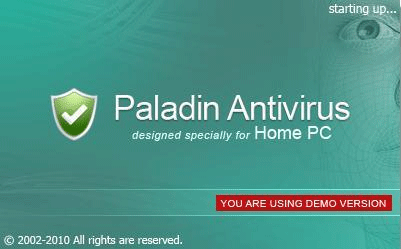
Fake program will insists to get the Paladin Antivirus serial and activation number to protect computer from viruses.
It will modify Windows Registry and add the following entries:
- HKEY_CLASSES_ROOT\*\shellex\ContextMenuHandlers\SimpleShlExt
- HKEY_CLASSES_ROOT\CLSID\{5E2121EE-0300-11D4-8D3B-444553540000}
- HKEY_CLASSES_ROOT\Folder\shellex\ContextMenuHandlers\SimpleShlExt
- HKEY_LOCAL_MACHINE\SOFTWARE\Paladin Antivirus
- HKEY_CURRENT_USER\Software\Microsoft\Windows\CurrentVersion\Run “Paladin Antivirus”
Paladin Antivirus threat will drop the following malicious files:
- c:\Program Files\Paladin Antivirus
- c:\Program Files\Paladin Antivirus\help.ico
- c:\Program Files\Paladin Antivirus\md.db
- c:\Program Files\Paladin Antivirus\mdefense.exe
- c:\Program Files\Paladin Antivirus\mdext.dll
- c:\Program Files\Paladin Antivirus\uninstall.exe
- %UserProfile%\Desktop\Paladin Antivirus Support.lnk
- %UserProfile%\Desktop\Paladin Antivirus.lnk
- %UserProfile%\Start Menu\Programs\Paladin Antivirus
- %UserProfile%\Start Menu\Programs\Paladin Antivirus\Paladin Antivirus Support.lnk
- %UserProfile%\Start Menu\Programs\Paladin Antivirus\Paladin Antivirus.lnk
- %UserProfile%\Start Menu\Programs\Paladin Antivirus\Uninstall Paladin Antivirus.lnk
How to Remove Paladin Antivirus Manually
1. Restart your computer in SafeMode
– After Power-On the computer, just before Windows start, press F8
– From the selections, Select SafeMode
2. Remove Registry entries that the threat added. You MUST BACKUP YOUR REGISTRY FIRST.
– Click Start > Run
– Type in the field, regedit
– Navigate and look for the registry entries mentioned above and delete if necessary
3. Delete malicious files that the threat added:
– Base on the given location above, browse and delete the file
– If no location is given, click Start>Search> and search for the files.
– If cannot be deleted, press Ctrl+Alt+Del to access Task Manager, see if the file is running in the process. If it is, select the file and click End Process. Perform file delete again.
4. Scan computer with Antivirus Program
– Update antivirus program
– Scan computer and delete all detected threats.
How to Easily Remove Paladin Antivirus
1. Download and run Removal Tool to remove Paladin Antivirus

Can it be a trick of hacking by this software because it infect my system 3 days ago when no one uses my Internet and i have avg fully updated at that time. No person uses Internet but Internet connected at that time someone suddenly this hacker attacks on my system. download this program & viruses to my system. quick reply needed to inform that it was an hackers attack on my system. thanks in advance