
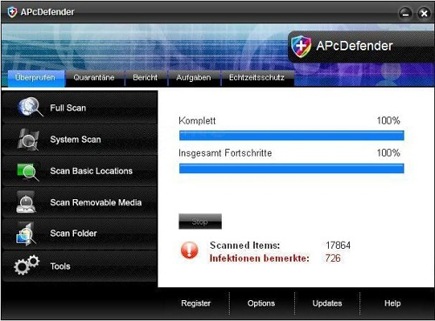
APcDefender is a virus that commonly spreads on the Internet by spoofing security center websites and drop the program on visitors computer. APcDefender will provide self online virus scan and present a number of security risks afterwards. This is the time to advise visitors to download the unregistered version of APcDefender. Once installed, instead of removing the threats, APcDefender will drop more files that it will detect later as infected. The local scanning of hard drives produces scary results that may convince users into purchasing the registered version of APcDefender.
Robert La Nguyen
Remove Guard Pro

Guard Pro which is also known as GuardPro virus is a fake computer security application that was created primarily to scam computer users and earn a money from this fraudulent activities. Normally, Guard Pro spreads via Trojan that was hosted on their own websites that disguise as a security and online virus scanner. Once Guard Pro gets into your computer, it will cause disruption by any means. Alterations on system settings and Windows registry is implemented to run this threat each time the computer is boot-up. Guard Pro will issue never-ending warnings and alerts that will lead into having the registered version of this bogus program. Please stay out of Guard Pro by avoiding programs from unknown websites and file-sharing programs. Do not visit fake security websites nor download files from there. It will surely cause you a threat like Guard Pro.
Remove Desktop Protector 2010
Desktop Protector 2010 is the latest variant of Desktop Defender 2010 rogue security program. When installed on computer, Desktop Protector 2010 automatically starts together with Windows by altering the registry and creating its own values. Desktop Protector 2010 deceive people with its fake security scans and pop-up alerts. It will state that several system files were infected and a purchase of the Desktop Protector 2010 registered version is needed to continue with the virus removal.
Remove PcsProtector
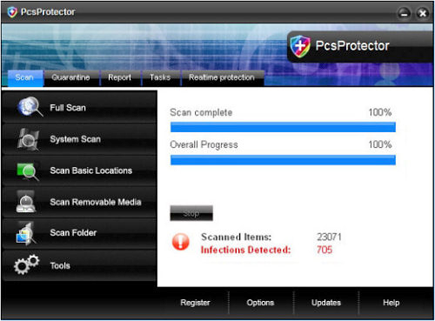
PcsProtector is a mislead application that will scam users by pretending to be an antivirus program. PcsProtector Trojan will infiltrate a computer by means of a fake security or malicious multimedia websites. Upon entering the system, PcsProtector alters various system file that will endanger the operation of installed antivirus programs. A value will also be entered to the Windows registry allowing the PcsProtector to run on start-up process. Just after installation, Pcs Protector will trigger to display fake alerts and warning messages attempting to persuade people into purchasing the paid version of it. You must be aware that having the license version of Pcs Protector doest not comprehend and will not clean the system of infection. Instead you have just been scam. To fully remove PcsProtector, a legit anti-malware program must be used.
Remove GreatDefender
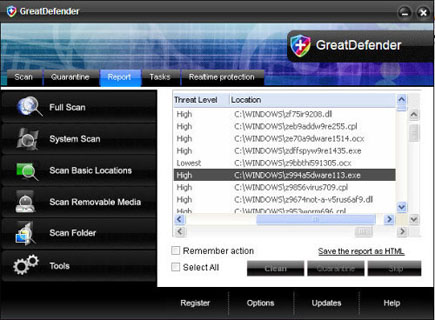
GreatDefender is a fake application that pretend as a needed software or virus removal tool. To scam computer users, GreatDefender will display fake alerts on its own website that advise visitors to download and install a copy of this program. When installed on the system, GreatDefender will perform similar functionalities to its earlier version such as APCProtect, ProtectPCs, and MalwareDefense. These includes a display of excessive pop-up alerts and taskbar warning messages that when clicked will redirect to a GreatDefender payment website.
Remove SpyEraser
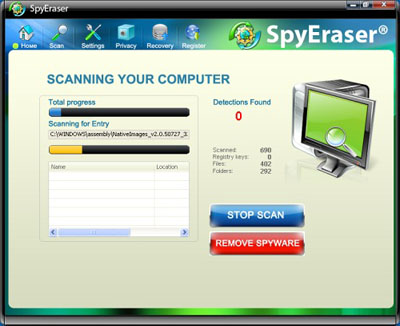
SpyEraser is a fake anti-spyware program that should be rejected whem a scam websites prompts you to download this program. SpyEraser can be installed on computer with or without a notification when being spread using a Trojan. Upon entering the computer, SpyEraser will alter system settings and create its own start-up items on the Windows registry. This will ensure that SpyEraser will load when Windows is started. Aside from that, SpyEraser will try to connect to a remote computer to download additional malware and enhance its presence on the affected system. SpyEraser exhibit self-launched viru scanner with forge results to convince user to purchase the registered version of the program. A fake interception of non-existent treats resulting to excessive alerts and warning messages will be displayed to further mislead computer owners.
Remove Total PC Defender 2010
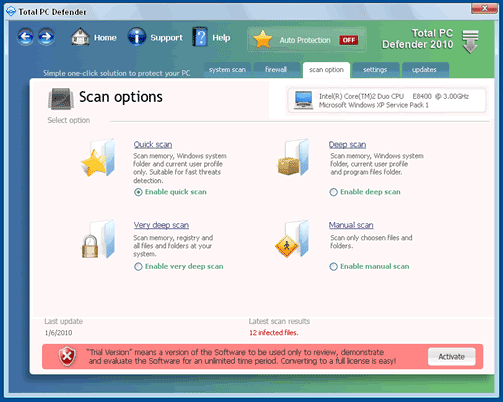
Total PC Defender 2010 is included in the category of rogue security programs that keeps on spreading over the Internet through the use of a Trojan and fake online security websites. Using these methods, Total PC Defender 2010 can be installed on computers without having user’s approval. It will secretly sneak into the system and modifies settings and registry entries to have itself run when Windows starts.
Remove APCProtect
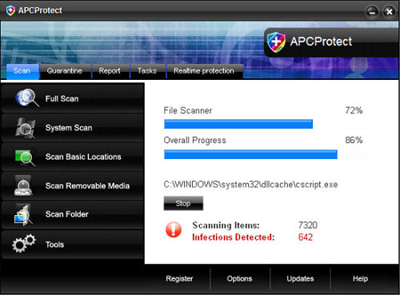
APCProtect is another addition to the family of rogue antivirus programs where ProtectPCs, GuardPCs and IGuardPC also originated. APCProtect can arrive on computer as a fake multimedia codec that was required to view certain video on scam websites. A Trojan was also created to help spread APCProtect to computers connected to Internet. When arrived on computer, APC Protect will manipulate system settings and allow itself to be launched automatically when Windows is started. This method may give APC Protect control over other applications on computer. Running of antivirus and other security programs can be prevented and Internet access to legit security websites can be blocked. Removing APC Protect on computer is a must without having the licensed version of it. To do this, follow the recommended APC Protect removal below.
Remove DataDoctor 2010
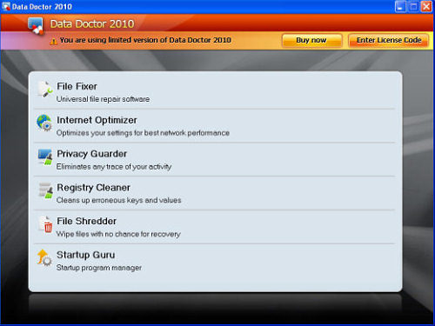
DataDoctor 2010 is another fake Windows program that was created to mislead computer users with its untrusted operation on victims computer. DataDoctor 2010 can deceive people with fake error alerts and warning messages like:
System Adware Scanner 2010
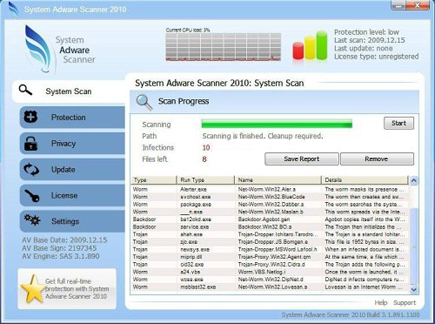
System Adware Scanner 2010 can be dropped and installed on computer when a user visits malicious websites that execute a scripts on victims machine. System Adware Scanner 2010 also propagates via scam email messages that will delude users with fraud contents. While on the system, System Adware Scanner 2010 will alter registry and create numerous entries that will enhance the malware functionalities on victims computer. Aside from that, System Adware Scanner 2010 Trojan related files will be hidden inside the system to avoid detection. Disabling anti-virus programs and utilities can make sure that removing this program will be difficult for an infected computer. To remove System Adware Scanner 2010, we advise the use of legitimate and trusted programs only as stated below.