
Without a doubt, Wolfram Antivirus is a symbol of another useless application hiding inside an attractive designed console of a copied legitimate antivirus application. This rogue is not in any way correlated to authentic security software, in fact, copying the genuine one is part of its deceiving routine. Providing unfamiliar name (Wolfram) for this rogue product is another approach to propel user into visiting website once a search is done. Not for long, looking for the phrase ‘Wolfram Antivirus’ on Internet makes you discover that it is nothing but a senseless program made to scam computer owners. Valid security web sites clearly explain in detail why Wolfram Antivirus was dubbed as superfluous antivirus software.
Robert La Nguyen
Remove Windows Startup Repair
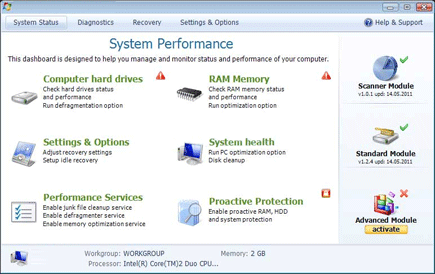
Windows Startup Repair is categorically included as member of bogus hard drive optimization tool. This family of fake utility has flooded the Internet with numerous versions but symbolically bearing the same graphical user interface. New ones are just a mimic of old variants. While on the system, this dangerous program pretends as useful application that will detect bunch of hard drive and system errors.
Remove Personal Pro System
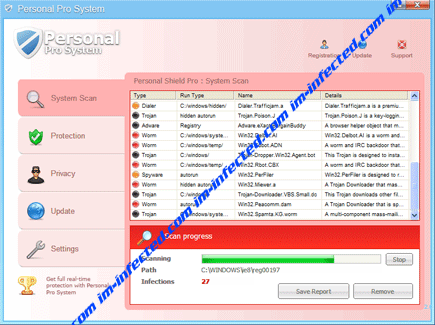
Personal Pro System may arrive as an update for Adobe Flash Player. The upgrade is not legal and actually part of the general operation to infect system. Personal Pro System targets vulnerabilities in victim’s PC and uses the same for its own objective. Computer security flaw is another avenue that the malware look into in achieving the goal of sneaking freely.
Remove Alfa Defender Pro 2011
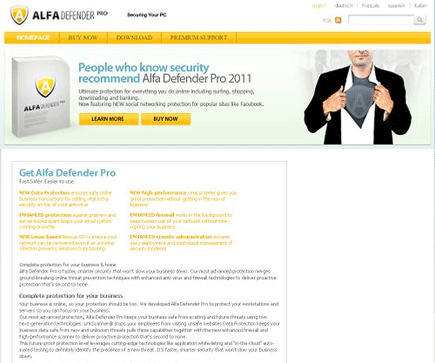
Alfa Defender Pro 2011 is a fake computer security software that is also called “a must-avoid program.” If Alfa Defender Pro 2011 enters the system, it will begin to carry out the mission of earning money from its illegal activities. It was solely developed to rip-off money from users who fell into its dirty tactics. Just as any rogue security application from its group, Alfa Defender Pro 2011 will promote itself as a legitimate security product to deceive viewers. A well designed web site is also utilized to promote this potentially unwanted program.
Trojan backdoor.11.Win32.xnco
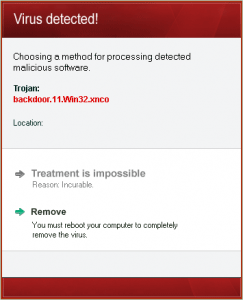
Trojan backdoor.11.Win32.xnco is part of fake detection method being displayed by malicious software named Enhanced Protection Mode. If this Trojan appears on the computer, it does not mean that PC is infected with it. The bogus alert tries to scare computer users and make them believe that computer is under attack. The real infection that enters the system is a variant of Enhanced Protection Mode virus. Trojan backdoor.11.Win32.xnco is reported to deceive users and convince them clean the mess with endorsed removal tool. The full message state that:
Remove “Norton AntiVirus Enhanced Protection Mode”

Norton AntiVirus Enhanced Protection Mode is a virus that will infiltrate a computer in various ways. This fake pop-up will disguise as part of the legitimate program in order to mislead users. It may look like a legitimate one because it steals the name from the popular anti-virus company – Norton. To make things clear, Norton AntiVirus Enhanced Protection Mode is not associated to Norton and the pop-up was not caused by the legitimate anti-virus program.
Remove Microsoft Security Essentials Enhanced Protection Mode
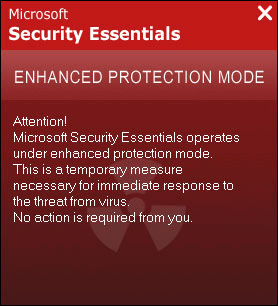
Microsoft Security Essentials Enhanced Protection Mode is distrusted security software. It uses deceptive pretences and trick users to make them believe that system is filled with threats. You must know that malware authors are targeting naïve computer users who are not well-versed when it comes to computer security software. The alert provided by this rogue program may look real to some. But to those who are already aware of the tactics used by attacker, they can easily identify that it is fake.
Remove “Avast Enhanced Protection Mode”
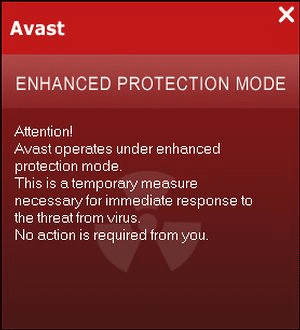
Avast Enhanced Protection Mode is not an ordinary rogue security program that will display bunch of pop-up alerts and messages. Avast Enhanced Protection Mode have enhanced its deceiving mechanism by associating itself to an installed security application. The rogue program will pretend to be a part of Avast process in order to easily mislead its victims and make them believe that the message is real. The typical pop-up alert that may arise from the Windows task bar state the following:
Remove BlueFlare Antivirus
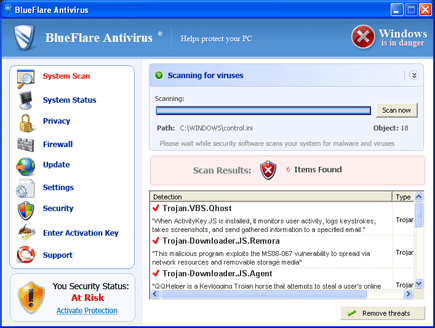
BlueFlare Antivirus is a computer virus that initially promoted on fake security web sites as legitimate AV program. This software was included in the list of rogue security application because of its objective to mislead users with false security alerts and warning messages. BlueFlare Antivirus can be acquired by visiting contracted websites, downloading executable files … Read more
Remove Ultimate Scan
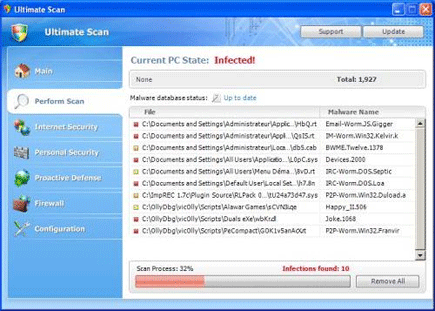
Ultimate Scan was identified as rogue security application that was equipped with a self-installation function. It is commonly dropped by an associated Trojan known to exploit system vulnerabilities. Unlike any other fake AV, Ultimate Scan does not come with a trial version. In fact, it spend most of the time sending reminder to users that a licensed version must be obtained to instantly remove all threats detected on the machine. Untrusted Windows warning message will appear on desktop forcing the procurement of Ultimate Scan full version. This type of program is hazardous to computer’s safety and operation so it must be removed as soon as possible.