

If you think that Spyware Defender 2009 is a program that can help you combat spyware and other sorts of computer threats, think again. Spyware Defender 2009 is included in the lists of rogue security application and known to be associated with a Trojan that propagate it over the Internet and e-mail. This malicious program can also be downloaded unknowingly by getting executable programs from an unknown websites that are already infected. Its presence on the system can be evidently witness with a series of pop-up alers messages stating that computer is in danger and a threat was detected. Spyware Defender 2009 will also exhibit its own virus scan after a successful installation and each time Windows is started.
Selling the program is the main goal of this unwanted program. Spyware Defender 2009 will do anything to convince owners to register it before performing virus removal. Don’t fall into this trick, it has been a method since rogue program started to spread on Internet years ago.
What are the Symptoms of Spyware Defender 2009 Infection?
Internet browser will be pointed to a website where a copy of Spyware Defender 2009 will be dropped and installed on target computer.
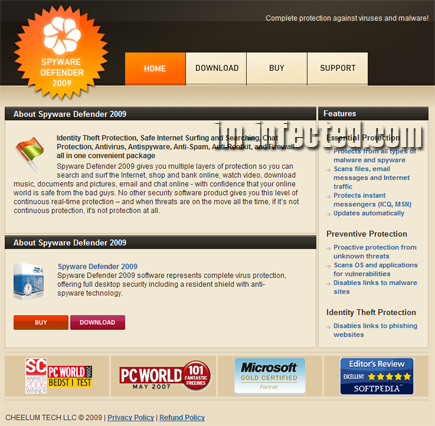
How to Easily Remove Spyware Defender 2009
1. Print this procedure as we need to close all programs running later.
2. Download AntiMalware Application here and save it to your Desktop.
3. Close all open applications.
4. Double-Click on the downloaded mbam-setup.exe to start the installation. If unable to execute, infections on computer is preventing it from running, rename the file mbam-setup.exe to anything (like myfile.exe)
5. Run the installation on the default settings. No changes are necessary.
6. Just before completing the installation, make sure that the following are marked check.
– Update the program
– Launch the program
7. The tool will run and update itself after installation. Close it after the update.
8. Restart your computer in SafeMode
– After Power-On the computer, just before Windows start, press F8
– From the selections, Select SafeMode
9. Click on the icon and start to Perform Full Scan to begin scanning your computer for Spyware Defender 2009 related files.
10. After scanning, a message will appear stating that the scan is completed successfully. Click OK.
11. Click Show Results and detected threats will be displayed.
12. Make sure that all threats are marked check, then click Remove Selected to begin removal of the malicious files.
13. Exit AntiMalware Apps and restart your computer.
14. Spyware Defender 2009 and all its files are now removed from your computer. To guard your computer from this threat and avoid future infections, you may want real-time protection from a full version of anti-malware program..
