

WinScan or also known as Win Scanvirus is just a mimic of an old rogue program. This was developed to deceive computer users and make them believe that computer is under attack. WinScan will inform victims that dozens of virus is detected and must be removed immediately. It will promote WinScan as the solution and issue an advise to obtain the paid version of the program.
Robert La Nguyen
Get rid of Antivirus Monitor
Antivirus Monitor is a recent version of the program that was created in the tradition of AntiMalware Go. This applications are dangerous and applies various tricks to persuade victims into purchasing the registered version of the program. Antivirus Monitor and all of the programs that belongs to this group was developed specifically to earn money from this fraudulent activity. Antivirus Monitor will be spread by a Trojan that will be distributed on the Internet by file-sharing networks, spam e-mails, malicious links from instant messaging applications and fake security web sites. When it penetrates the system, it will start to modify system settings and dominate the operation. A virus scan by Antivirus Monitor will be executed each time Windows is started. Several pop-up alerts and messages is displayed to mislead victims further. A claim by Antivirus Monitor that various infections were detected will constantly issued and advise to get the registered version of the program.
Uninstall AntiMalware GO
AntiMalware GO is another must-removed application that was categorized as rogue. This software will protect itself as a legitimate security product for Windows systems. In reality, it was just created to scam computer users and earn a profit from this illegal online activities. Coming from the same group who created Antivirus .Net, expect that AntiMalware GO virus will also infect as many computers connected on the Internet.
Remove Windows Tool (Fake AV)
Windows Tool is a new version of rogue security application that came from the family who releases various versions of useless Windows optimization tools. Windows Tool will pretend as a legitimate application for system problems that will simulate a fake scan on system performance and provide a false report that will be helpful in convincing its victims to purchase the licensed version of the program.
Remove Windows Express Settings
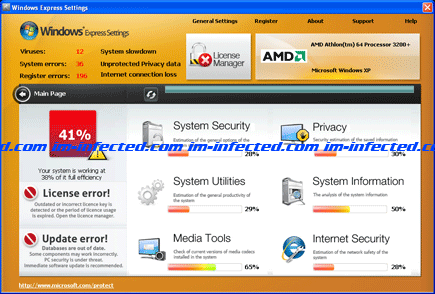
Windows Express Settings is a counterfeit program created to fool its victims with fake security scans and false detection of virus. This technique will sometimes able to convince computer users to acquire the paid version of Windows Express Settings. In fact, this rogue program was created on the purpose of earning a profit from this online fraudulent activity. It all started when an infected web sites is visited with a prompt that will disguise as Microsoft alert:
Remove Mega Antivirus 2012
Mega Antivirus 2012 is a fake security software that may bring severe computer problems including blocking of Internet access. Mega Antivirus 2012 also slows down overall system performance, prevent running of installed application and disabling of installed anti-virus program. This fake AV will pretend as a security application that is needed to resolve mentioned computer issues. But in reality it was Mega Antivirus 2012 who created all of this computer malfunction to force users into paying for the full version of it.
Get rid of XP Total Security 2011
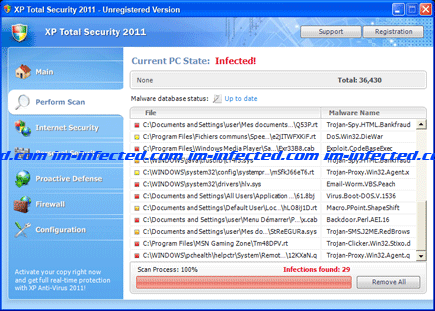
XP Total Security 2011 is a bogus application that came from a huge family of rogue programs. XP Total Security 2011 can be installed on the computer with variations in name depending on the operating system of victims computer. This fake AV program will look like very similar to other legitimate applications, but in reality it is a scam that was made to look like a legitimate one. As long as XP Total Security 2011 stays on the computer, it will continuously pop-up alerts about detected viruses on the computer and force users to register the program. These scare tactics have been very effective to let its authors earn a sum of money for this illegal activities.
Remove XP Home Security 2011
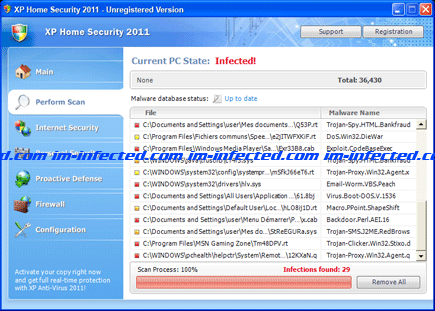
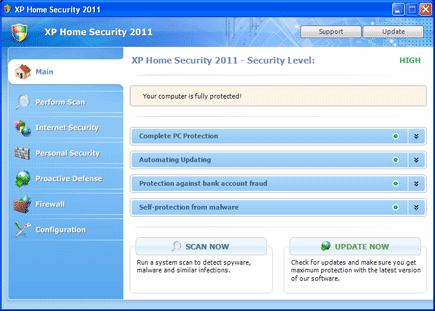
XP Home Security 2011 is a fake anti-virus application developed to extract money from computer users by means of online fraudulent transactions. XP Home Security 2011 will provide a report regarding false threats and also displays fake security warnings on computer to make users believe that PC is contracted with virus and Trojans. This malicious application can be obtained from fake online virus scanner web site. A Trojan will execute everything when this site is accessed. There is also a possibility that XP Home Security 2011 can be acquired from fake multimedia web sites that will require users to download a player to be able to view the video. Unknown to them a Trojan is embedded in the file that will drop XP Home Security 2011 on visitors computer.
Remove Vista Total Security 2011
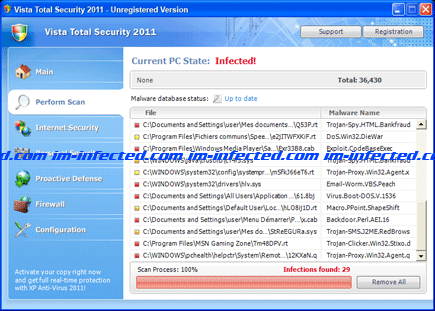
Vista Total Security 2011 is a must-removed application that will make itself look like a useful one by pretending to be a Windows security product. It will utilize deceiving techniques and aggressively convince victims that computer is full of threats. It will display false alert messages to promote itself as the main solution for computer problems. Some of these alerts will have these messages:
Remove Vista Home Security 2011
Vista Home Security 2011 is a dangerous security application that will be dropped on computers by Trojan named Braviax. When installed, Vista Home Security 2011 will modify registry and create its own entry that will make itself to load each time Windows is started. Having this rogue software on computer will produce excessive pop-up alert messages that will always notify users of viruses residing on the computer. An automated virus scan is also performed that will provide false results on the security status of the computer.